

- Risk appetite and risk limits
- Quantified risk values
- Risk views that show money
Appearance
Organization settings give a small set of defaults for all AI Systems. These defaults work best when you set them at the start and then do not change them in governance, risk quantification, and reporting.
Organization settings keep governance the same in all AI Systems:
Organization Admins manage most organization settings. Other members can see them.
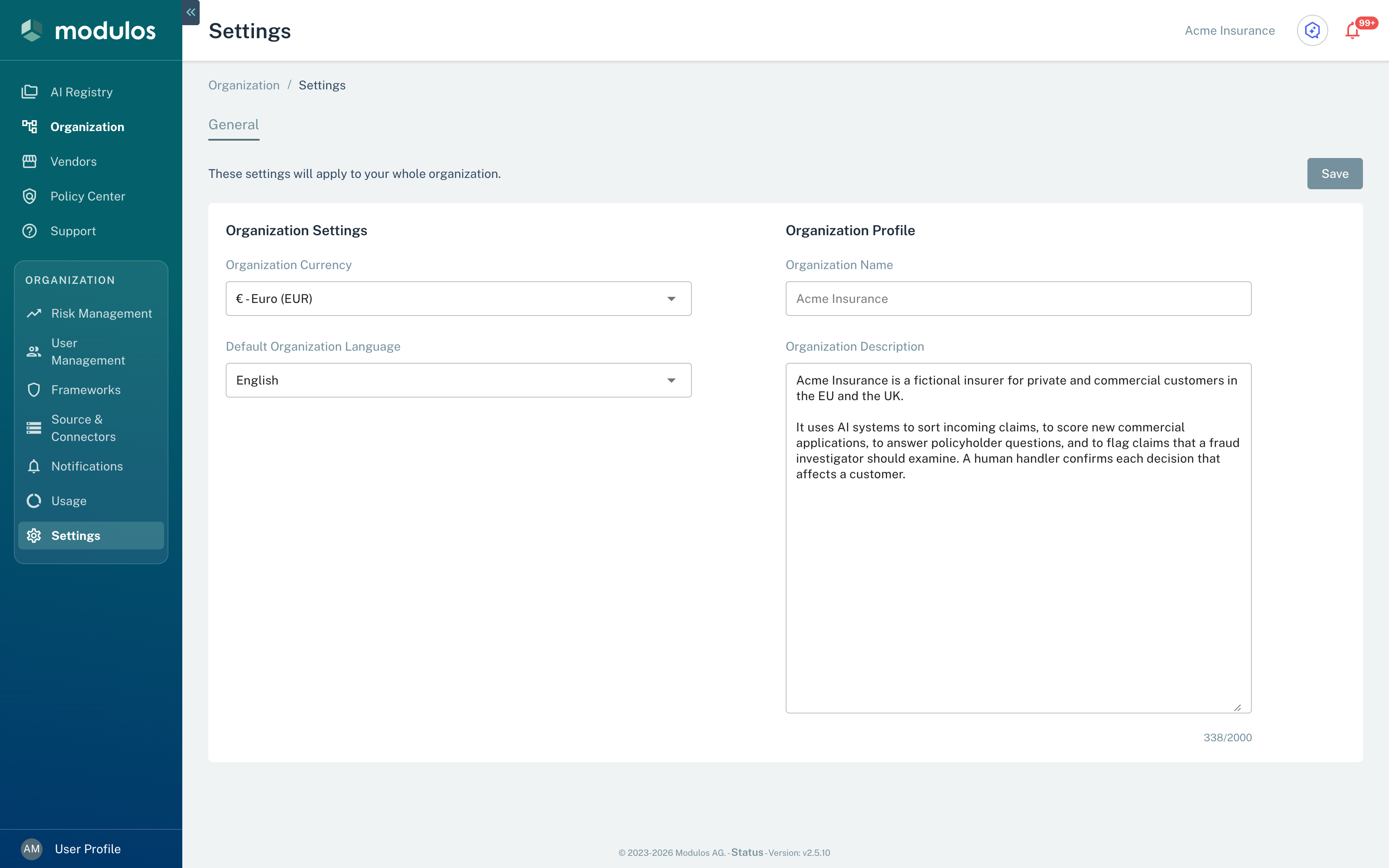
Organization → Settings, with the tabs General and AI UsageFor the AI Systems and the seats of the organization against the limits of the plan, see Usage.
Permissions
If you cannot open the page, speak to an Organization Admin about your access.
Modulos uses money as the one unit to compare risks:
The currency that you select is the unit for:
If you change the currency, Modulos does not change the historical values to the new currency. Set the currency at the start and keep it the same.
The organization language is the first language of each user that an Organization Admin invites, and of each new AI System. A user that Modulos creates at the first single sign-on (SSO) starts in English. Each user can change their own UI language in the User Profile menu at the bottom of the sidebar: English, Italian, German, French, or Spanish. Modulos then loads the page again in that language. The PDF export of an AI System uses the language of that AI System.
The language does not translate the content of your organization. Control descriptions, Evidence summaries, and uploaded documents stay as you wrote them.
The organization name comes from the setup of the organization. You can edit the description (maximum 2,000 characters). Modulos puts the description directly into the system prompt of Scout and into the instructions of the Risk Agent. A good organization description makes the answers of Scout more applicable to your organization in all AI Systems. The PDF exports show the organization name, but not the description.
The AI Usage tab of Organization Settings shows how much of the monthly AI usage quota of the organization is used. It shows a percentage for the current billing month, a bar, and a status badge (Within limit, Approaching limit, Limit exceeded, or Quota disabled). All organization roles can see it. Usage resets at the start of each calendar month.
When the quota is on and the organization gets to its limit, AI functions stop new work until the next month:
The processing of uploaded files uses the quota too. The tab shows the total usage only, not the usage of each function.
Each organization has a quota. A default monthly limit applies until Modulos sets a custom limit. Because of this, the tab always shows the current usage status. When the badge shows Quota disabled, AI functions do not stop at the limit. To change your limit, contact Modulos.
Organization Admins control which integrations are available for the organization on the Organization → Source & Connectors page. The page has two tabs: Sources (the default) and Connectors. Each tab opens with a short explanation. Each provider has an on/off switch. Each tab also has an Enable All switch that sets all providers of the tab on or off.
All providers start unavailable. Until an Organization Admin makes a provider available, it is not available in AI Systems, new or existing.
To apply changes, select Save Changes. A Confirm Changes dialog warns that the change affects existing and new AI Systems in the organization.
How it works:
Why use it:
Where in Modulos:
Organization → Source & Connectors (Organization Admins only)Integration availability
If you cannot select an expected Source or Connector type, speak to your Organization Admin. The type can be unavailable for your organization.
Select the currency for the risk appetite and the quantified values
Select the default language of invited users and new AI Systems
Write a short description of the organization as context for Scout and the Risk Agent
Apply the changes to the organization
Organization → Settings, it is possible that your organization role does not give access to the settings.