

Appearance
Reports & Exports
Exports change the work in Modulos into items that an auditor can read: snapshots of the scope, the statuses, the Evidence, and the Control history at one point in time.
For the full traceability model, see Governance Operating Model.
What this is
An export shows only what the platform records at the time of the export. You can share it with auditors and other stakeholders.
An AI System has three exports:
- The AI System PDF: a snapshot of the AI System details and of each Control
- Evidence files: the proof for auditors or internal assurance teams
- Asset files: the living documentation as Markdown files
A Policy has its own PDF export. See Policy Management.
Where in Modulos
AI System → Dashboard → Exportfor the AI System PDFAI System → Evidenceto download Evidence files (Download in the menu of an item)AI System → Assets → open an Asset → Download Fileto download the content of the Asset
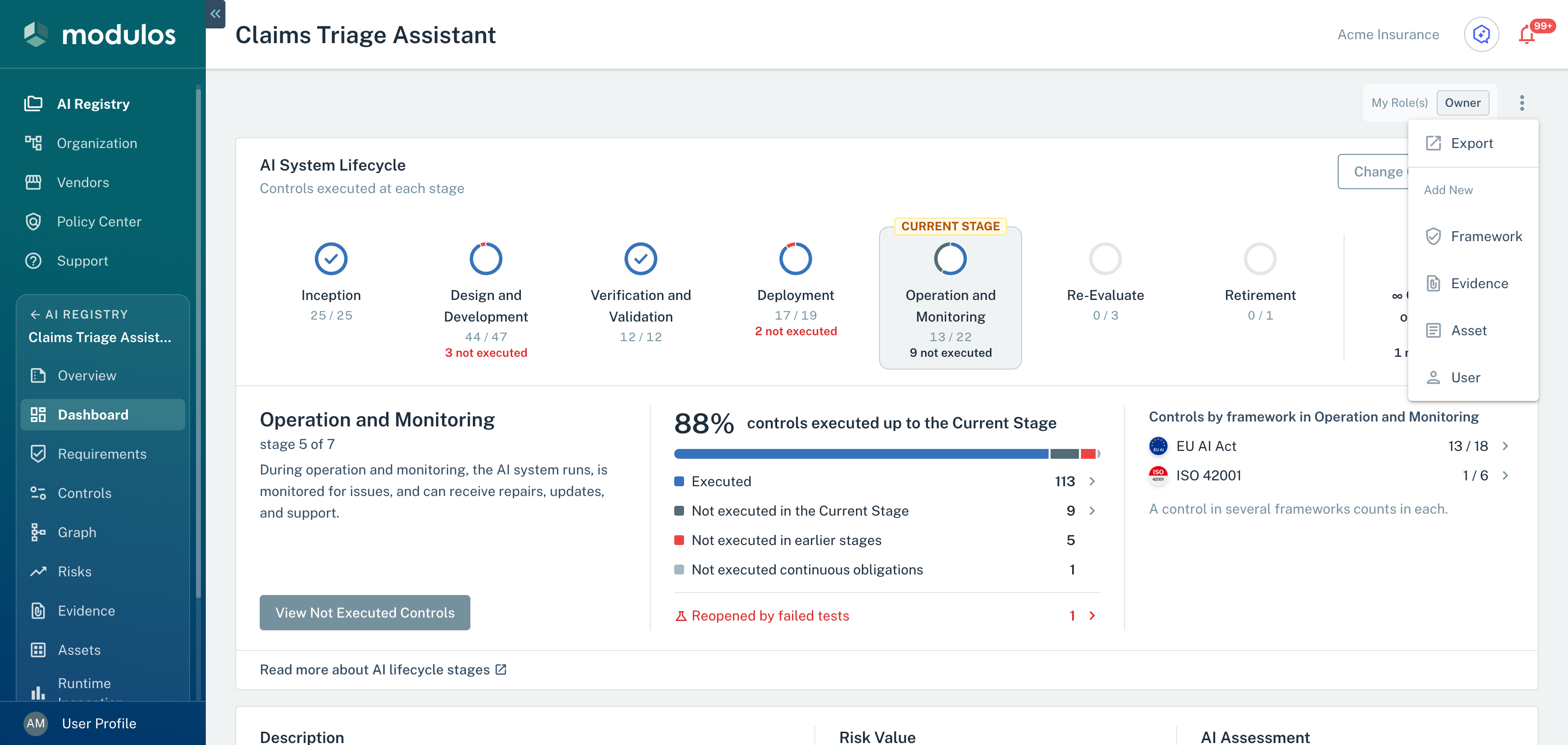
- 1ExportMakes a PDF snapshot of the scope, the statuses, and the Controls.
- 2AI SystemMake sure that you are in the correct AI System.
Who can do what
Permissions
- All members of an AI System, Viewers too, can export the AI System PDF and download its Evidence and Assets.
- Modulos does not limit exports to AI System Owners. Use AI System roles to control who can see an AI System.
How it works
Modulos makes the AI System PDF on the server. The PDF is a snapshot:
- it shows the AI System as it is when you select Export
- it shows the export date in your time zone, and it uses the language of the AI System
The PDF has these parts:
- a header with the name of the organization and the export date, and an index
- AI System Details: the owner, the date of the last update, the AI Lifecycle Stage, the fulfillment of the Requirements, the number of Evidence items, and each framework with its Controls
- Controls: for each Control, its info (status, owner, framework, mapped Requirements, tags, Metric Tests), its overview, its Evidence items, its report, and its comments and logs
The PDF lists the Evidence items of a Control, but it does not contain the files. Download the files from the Evidence Library. The PDF also does not contain these items:
- the Agent Tests of the Controls
- the text and the Comments and Logs of the Requirements
- the Reviews of Assets
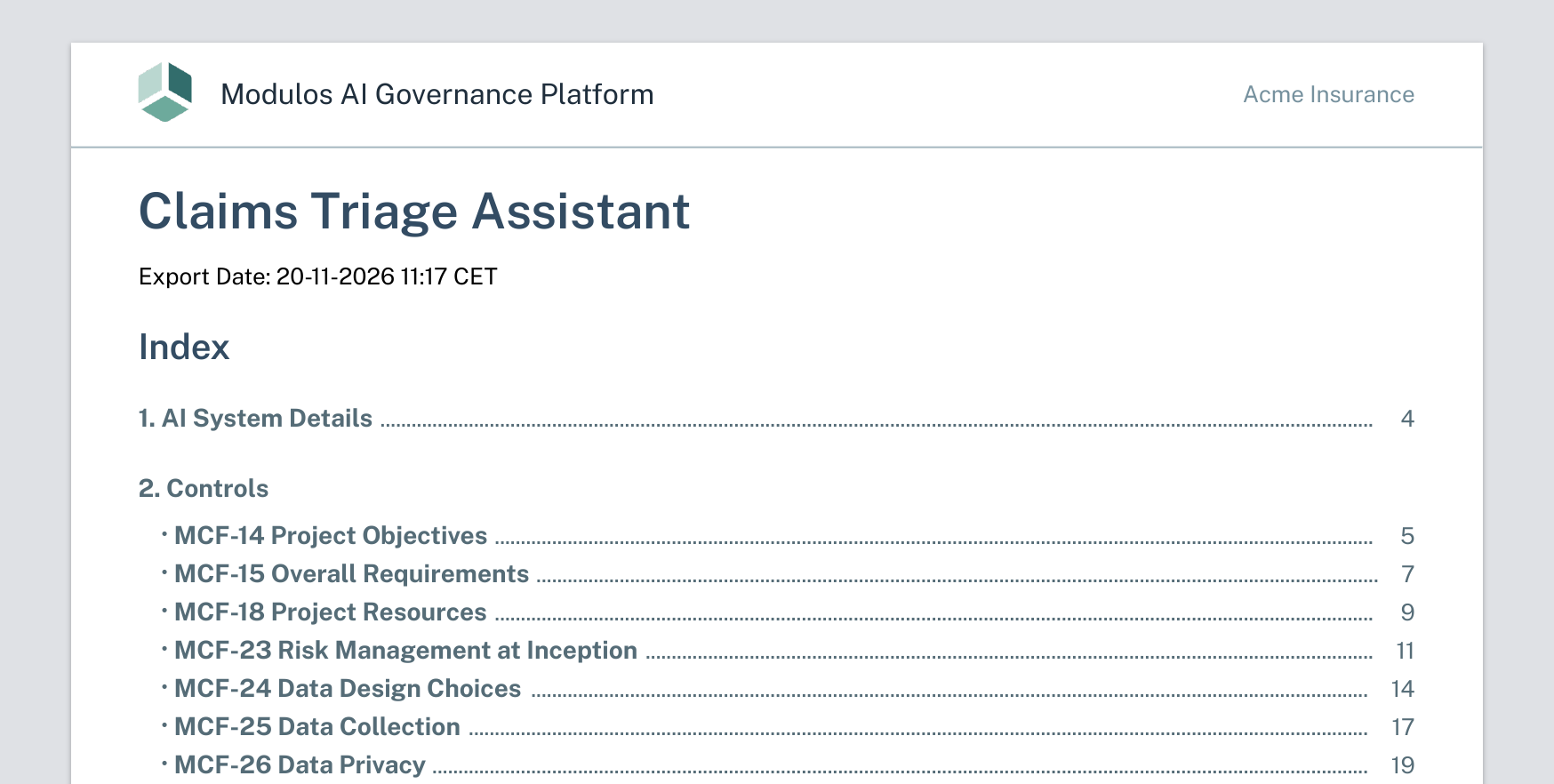
- 1Export DateThe date and time of the export, in your time zone.
- 2AI System DetailsSection 1: the owner, the Requirements, the Evidence, and the frameworks.
- 3ControlsSection 2: one part for each Control of the AI System.
Building an audit package
To prepare a package of files for an auditor, start with:
- the AI System PDF (the scope and the statuses)
- the Evidence files of the most important Controls
- the important Assets (the system description, the policies, the procedures), downloaded from their Asset pages
The diagram below shows a package for an audit from the PDF export, the Evidence files, and the important Assets.
Audit pack
How three export surfaces collapse into one shippable bundle.
Inputs
Project PDF export
Evidence files (per-file download)
Asset files (Download File)
Audit pack
Single shippable bundle
All three inputs, versioned together, ready for the auditor.
Snapshot Exports are snapshots. Keep scope stable before exporting — the bundle freezes whatever was in place at export time.
How to use it
1
Make the scope stable
Make sure that the frameworks, the roles, and the scope statement of the AI System are correct
2
Record the decisions
Complete the Control statuses and the Requirement fulfillment. Then the record is complete
3
Export the AI System
Make the AI System PDF as the primary audit item
4
Add the Evidence
Download the Evidence files of the most important Controls
Important considerations
- An export is a view of the audit trail at one point in time. The audit trail itself stays in Modulos.
- To keep the exported scope stable, an Organization Admin can freeze framework updates before the audit.
- Collect the Evidence of a small set of important Controls. Do not download all Evidence.
Related pages
Governance Operating Model
How exports connect to Reviews, logs, and Evidence
Controls
Where the work, the Evidence, and the log of status changes are
Evidence
The proof files for an audit package
Assets & Documents
Download living documentation as Markdown
Evidence and export troubleshooting
Failed Evidence uploads and exports that do not have all the content